Prison Break
A downloadable game
To everyone reading this, this is the middle of the game I have been working on, and I wanted to go all out and make a blockout level. I have made some levels or two before, but I really wanted to give it everything I can to make something cool. I did a whole blockout for the level and had some fun making the game. This was a great learning experience and a fun design opportunity. Especially since I am striving to be a level designer in the future, this was a great chance to push myself.
As someone interested in becoming a level designer, I got a lot of firsthand experience with the do's and don'ts of level design. At first, when doing blockout, I realized that after I thought I was done with the blockout, I should block out everything that would count toward the interior design instead of putting things in simply to hide behind for the game. For instance, if something is supposed to look like a cafeteria, make it look like one. Doing that created even more hiding spots and helped fill the level more, making it so the level doesn't feel massive or full of holes. Getting to see how my playtester went through my level helped me think about how I wanted to change things for my level for a better flow and use of lighting.
Game Design Document
A part of the project was the use of a GDD to give something to go towards when designing. Talking about core gameplay loops, Mechs, Feeling of play, etc. The use of the GDD gave me something to keep in mind to make the game as player-focused as possible, as the designer of the game.
- Mechanics - In the game, the player has the advantage of crouching, dashing, and even throwing objects for distraction.
- Level Design - With level design, I went with creating multiple pathways that a player can take, as you can see more description in Engagement. With enemies moving in and out of different spots for cover, the goal is to create tension in-game, even when the player finds a spot to breathe; the level can be filled with red light and not very bright, making it difficult to see around the level.
- Engagement - With overlapping sightlines between the enemy AI, as they travel between their patrol points, the idea is that they will be able to see the player if they hide in a spot for too long and get chased down. The player has to think quickly and react quickly, and if you get caught and you find one of the keys needed to open the final area, you start from the beginning and still have to get both keys again. The intention for the game is to reward a player taking a thoughtful approach. I set up paths that reward the player for looking around, and you can take paths that will cut through the area or make it easier to traverse. This gives opportunities for different kinds of players who like to move quickly without observation, giving them more things to distract enemies. On the other hand, those who take a slower approach might find that the holes in the enemy pathways provide an easier path to the goal with fewer distraction opportunities.
- Gameplay loop - Went for creating a meaningful transition between sneaking and fleeing to create the patrol throughout the prison.
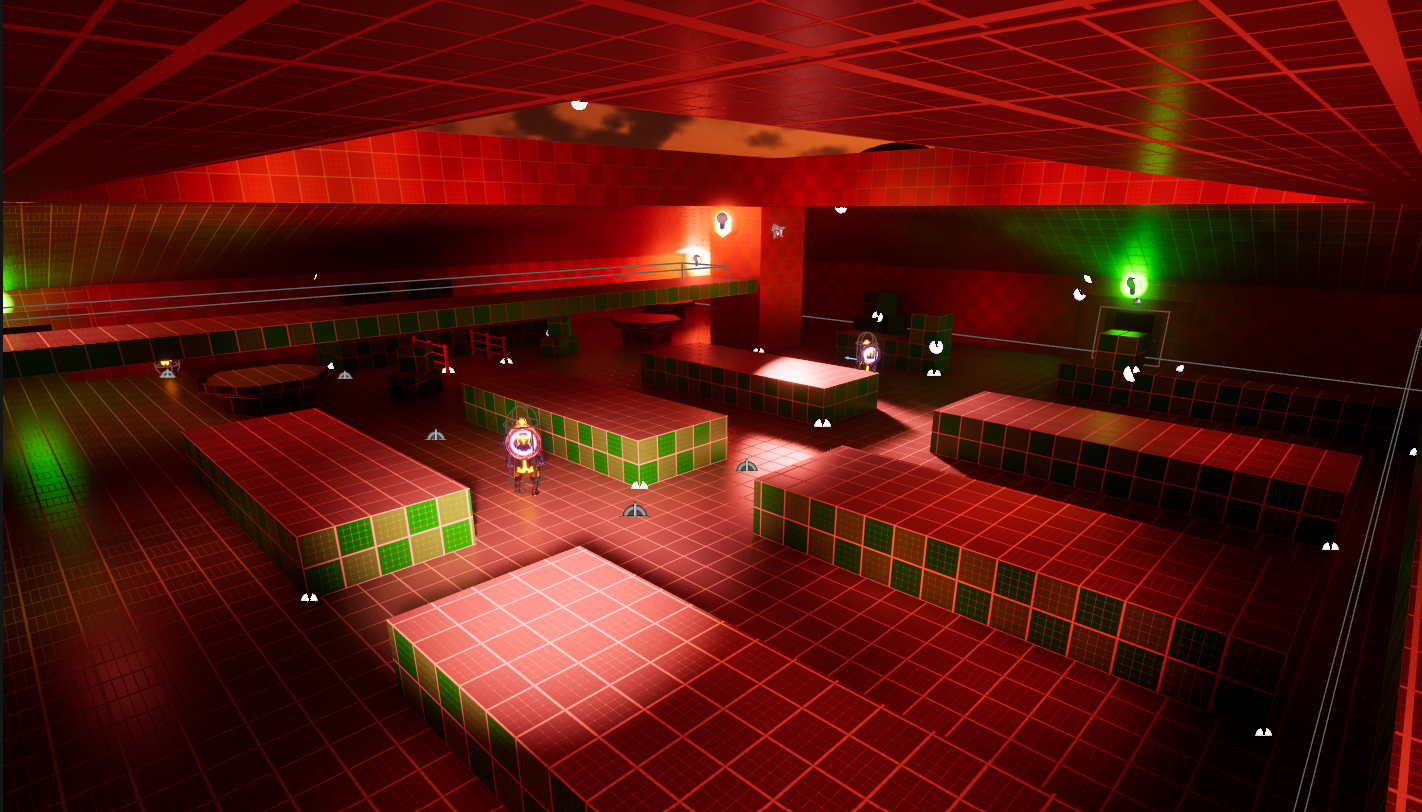
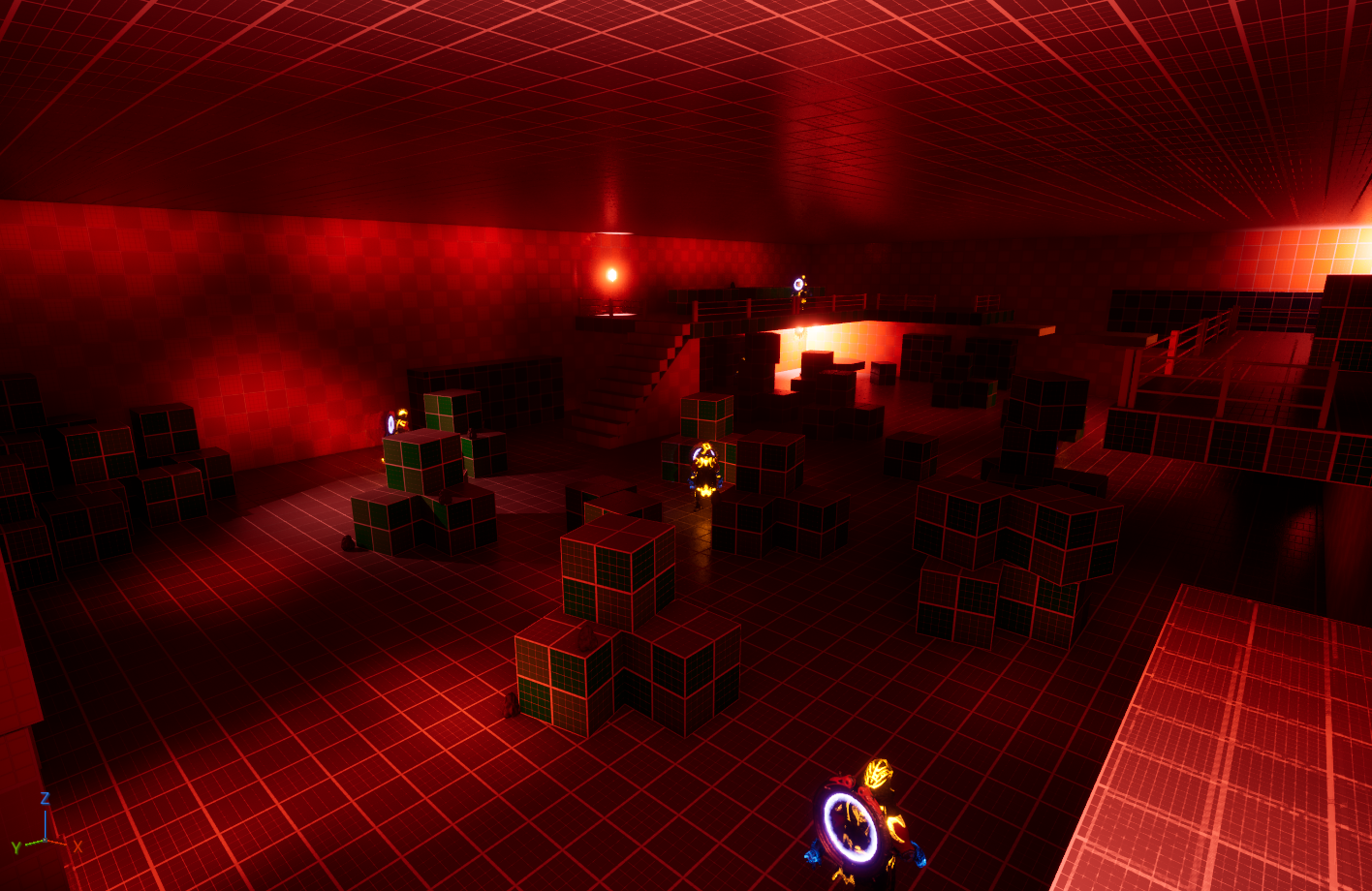
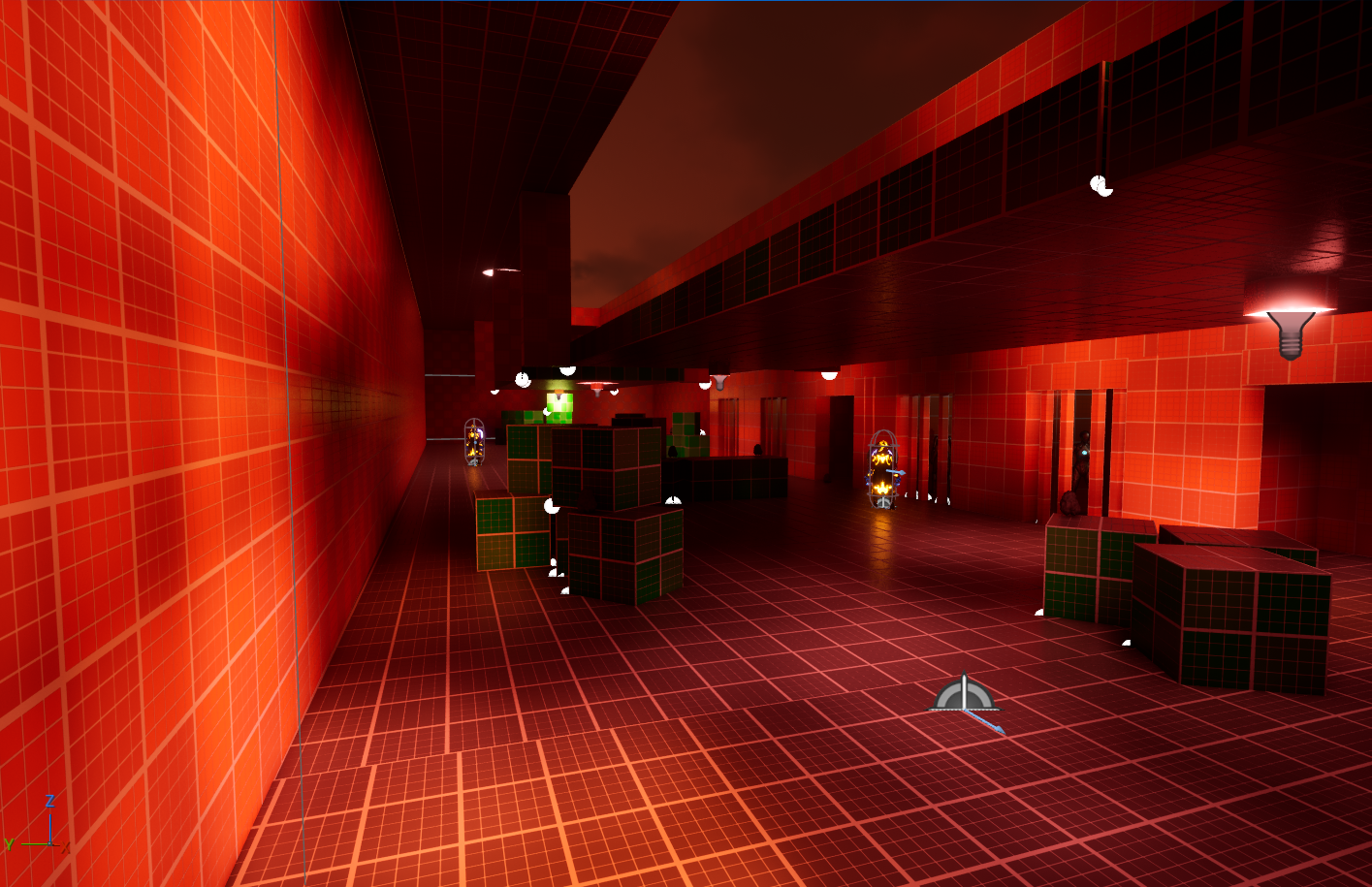
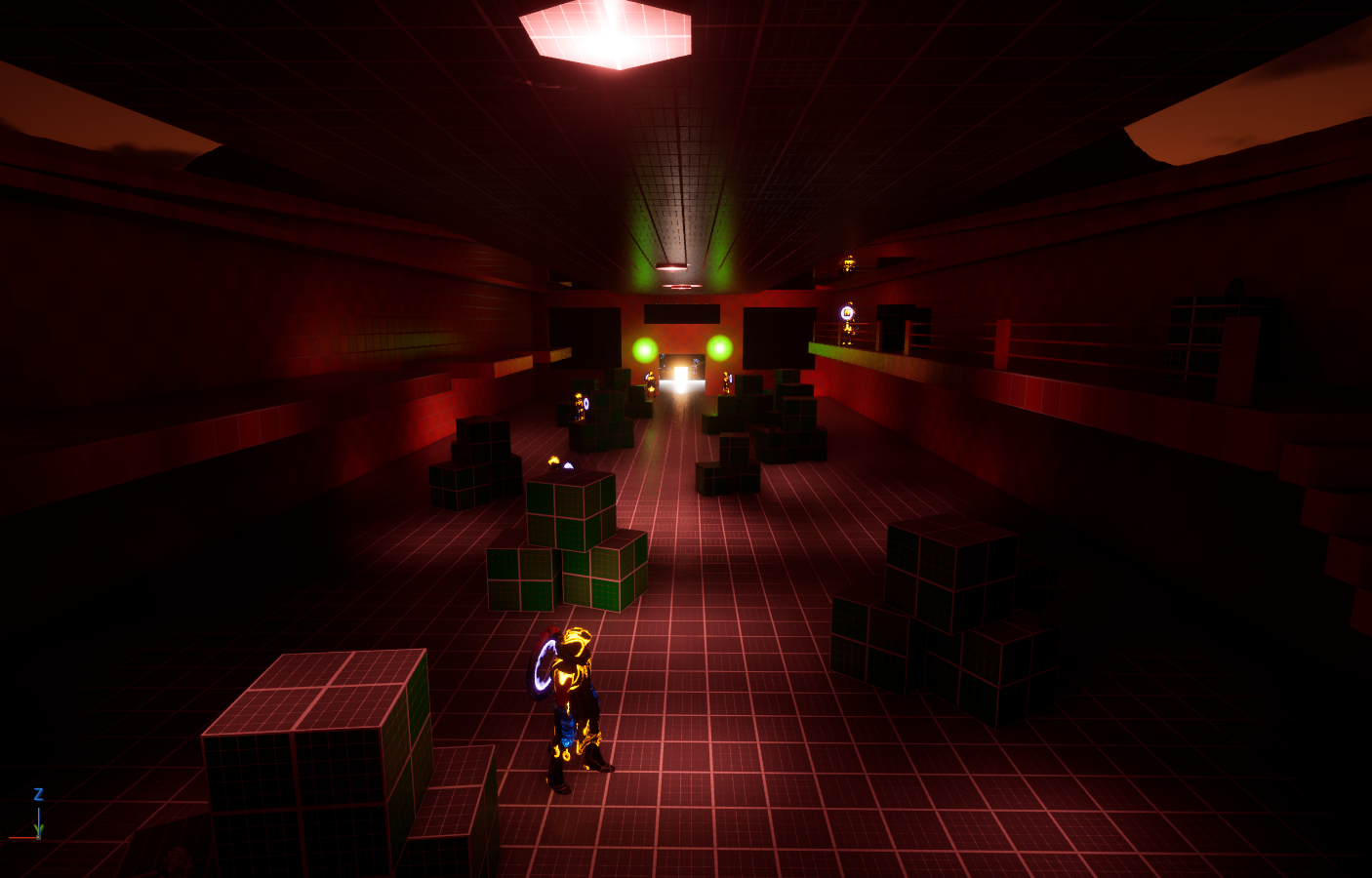
Above are pictures of the four major areas of the level that the player needs to go through to find the key items needed to be free from the prison, as you see in the last pic, which is the final area. When doing my blockout, I wanted to go with an ominous feel, like you're always being looked at or spotted at any moment. With pathways for the player to traverse, I went with the idea that they need to think about their traversal through the areas, almost envisioning their ideal traversal. Some paths can give you a straight shortcut through an area, and some can lead to a risk that will require quick thinking on the player's part. I wanted the player to have creativity to travel through however they want. As long as they have the ability to make a path into a reality of success. Because if you get caught by one, just by trying to get away from it, you may have yourself seen by others and start being chased by an army of guards.
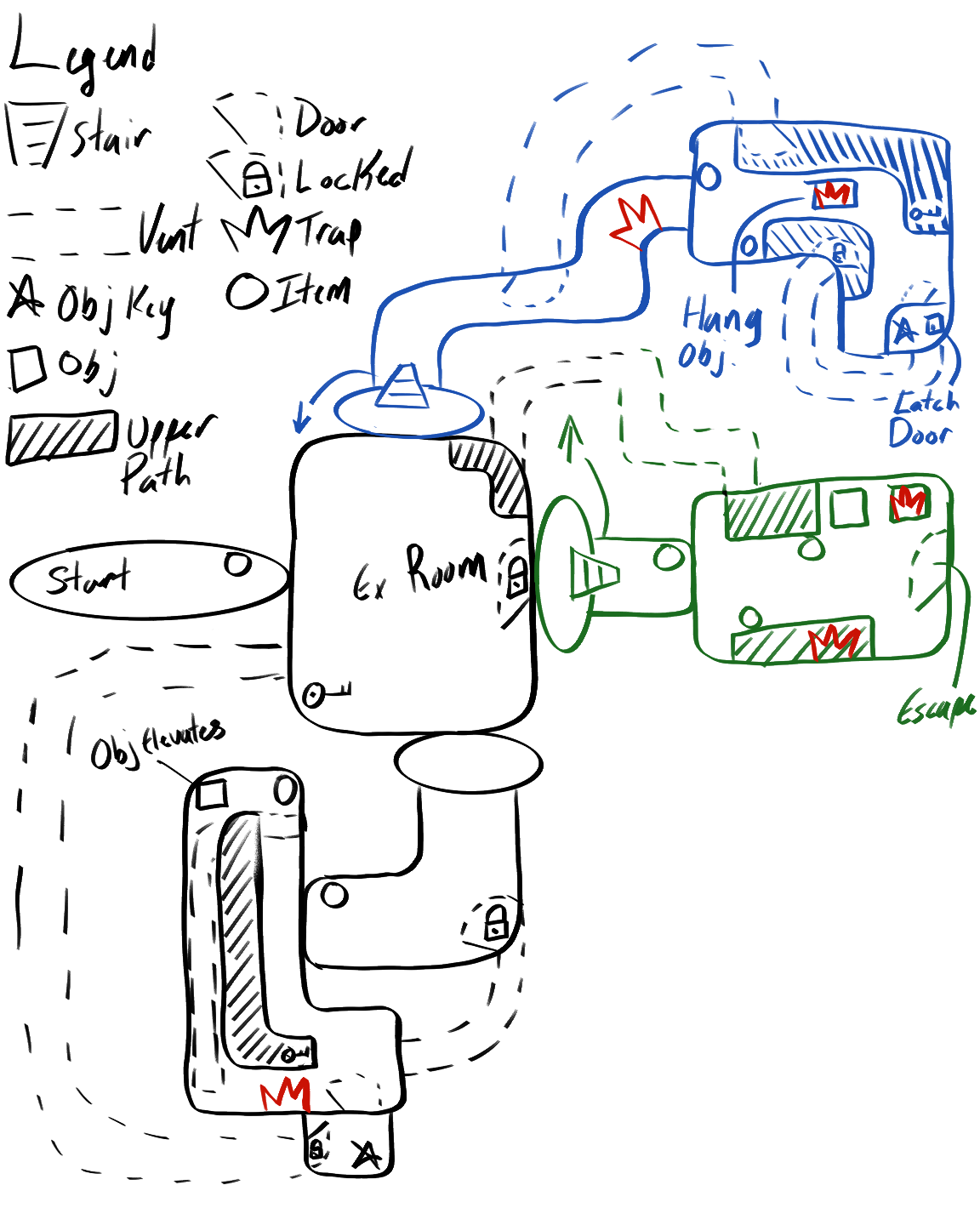
Above is the 2d layout I came up with. Due to the constraints I was dealing with, I couldn't do all the things I was hoping to achieve, but I also ended up doing things in the blockout that weren't shown above. Overall, this helped a lot and gave me a really good idea about how to design the level and what changes I need to make to make this better than what I made. Now, as I said before, I wanted the player to feel tense and have this ominous feeling when playing, but I'm not a monster! In the level, the player will be able to rest in the area within the prison. For the players who would take the more direct route with more hiding spots but also more guards, I added hiding spots the player can hide in. For example,
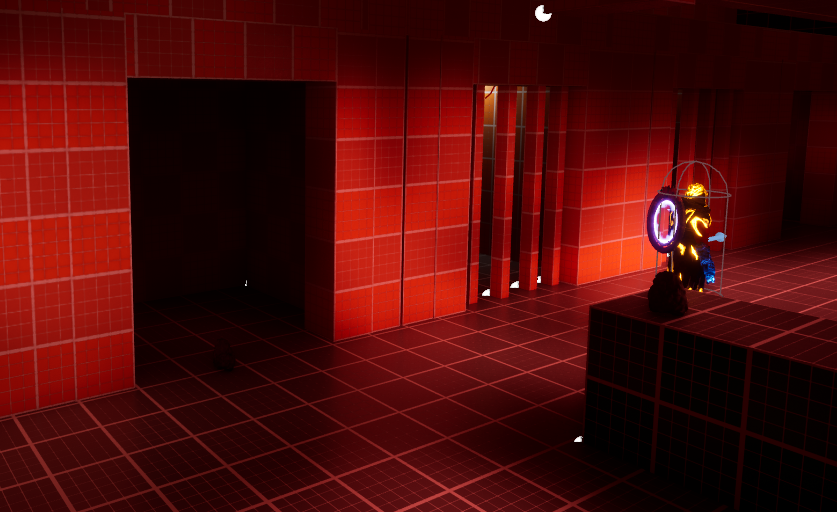
I made an area filled with prison cells; some are filled with inmates, others empty, that the player can hide in to avoid detection. Just one of the examples that I set up.
Things ended up changing from the original design above...
- Vents - I had intended more vents, as well as cuts throughout the level, but some of the ones I had created huge lull moments, with some playtests taking out the tension in the game. Instead, all the vents but one practically take you to one of the keys IF you find the key needed to open the vent. Went with paths that maybe had fewer enemies if you went that route
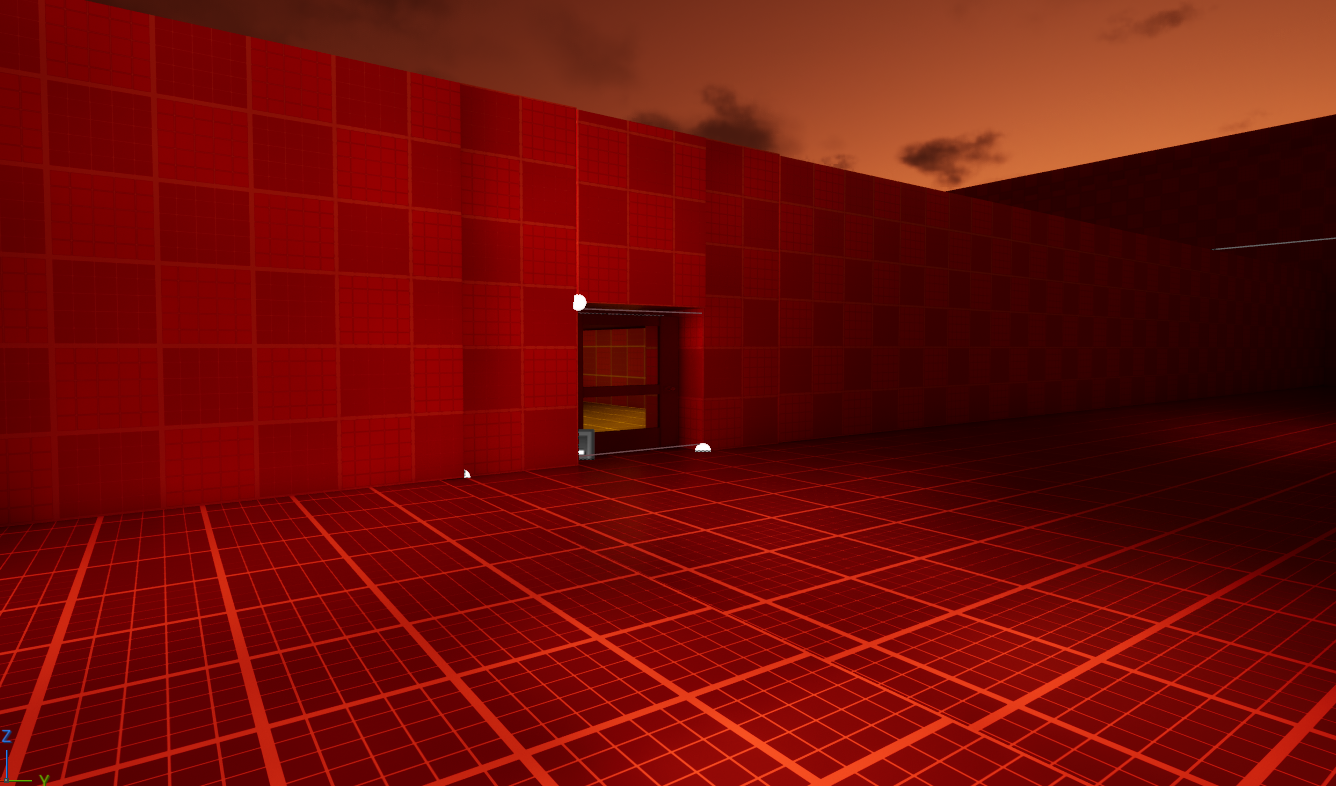
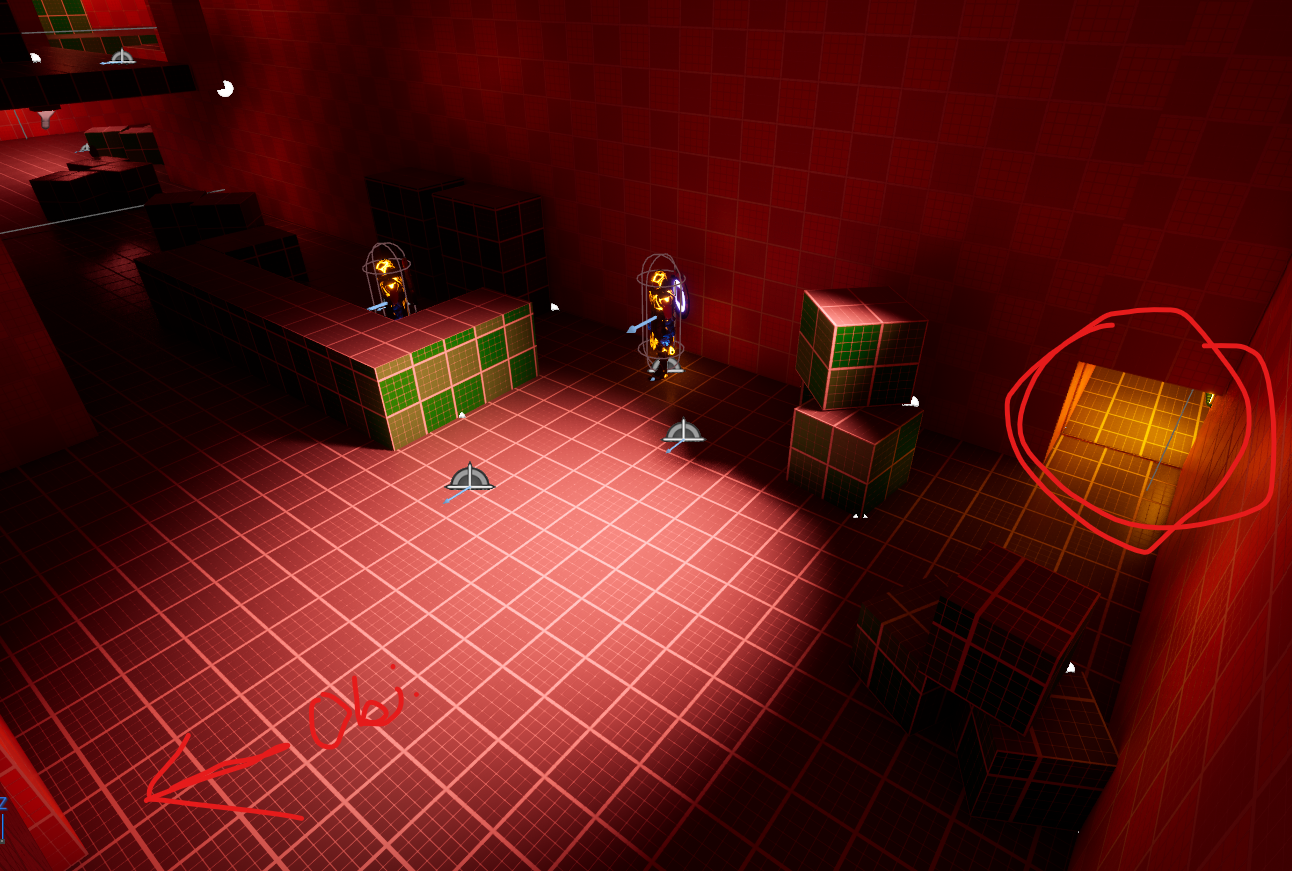
Vent in question and...
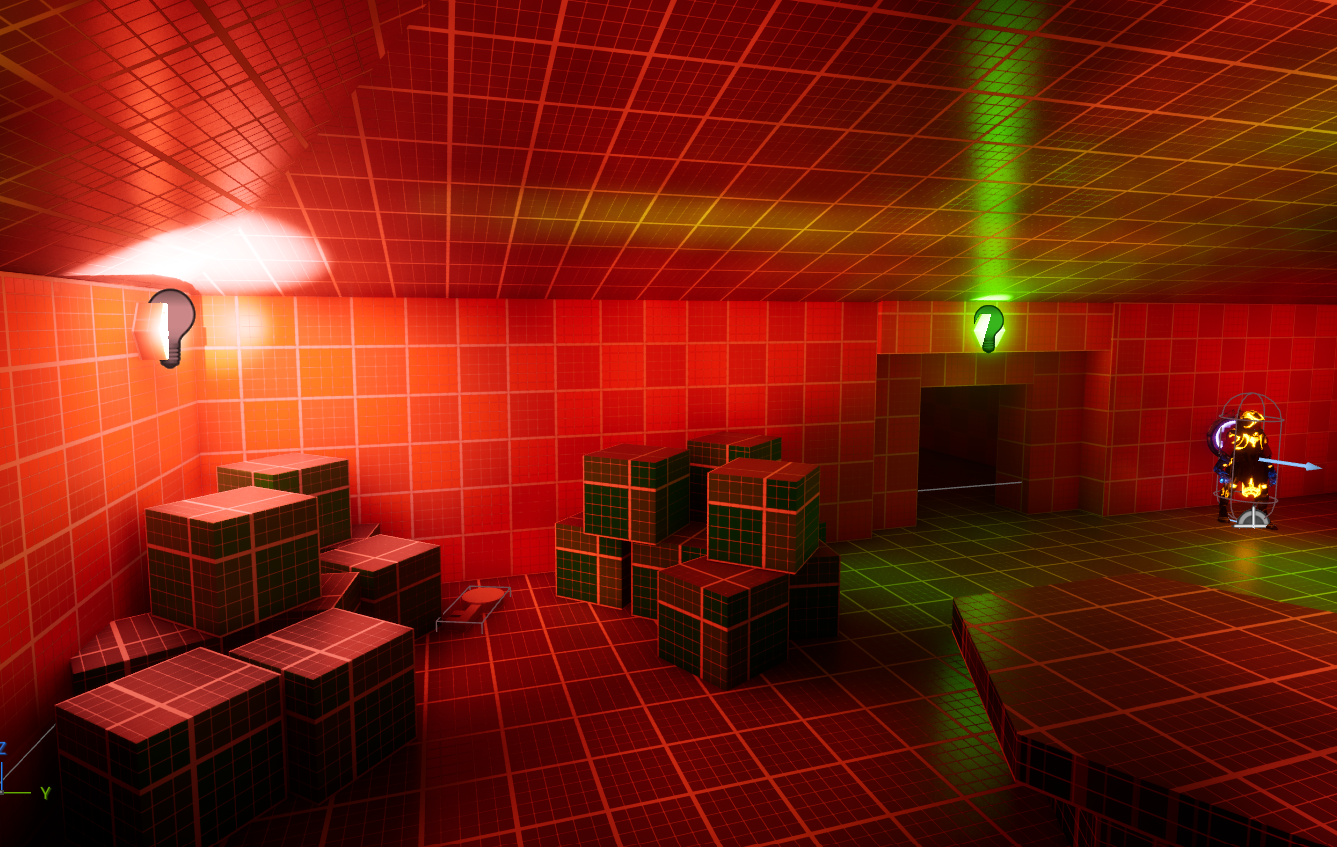
Key needed to open the vent.
- Traps - I wanted to go with various kinds of traps, but like I was saying before, I was running out of time to make some, so to compensate, I added more guards to travel through different cover spots so a player can't stay in one spot too long.
Player Character and Enemies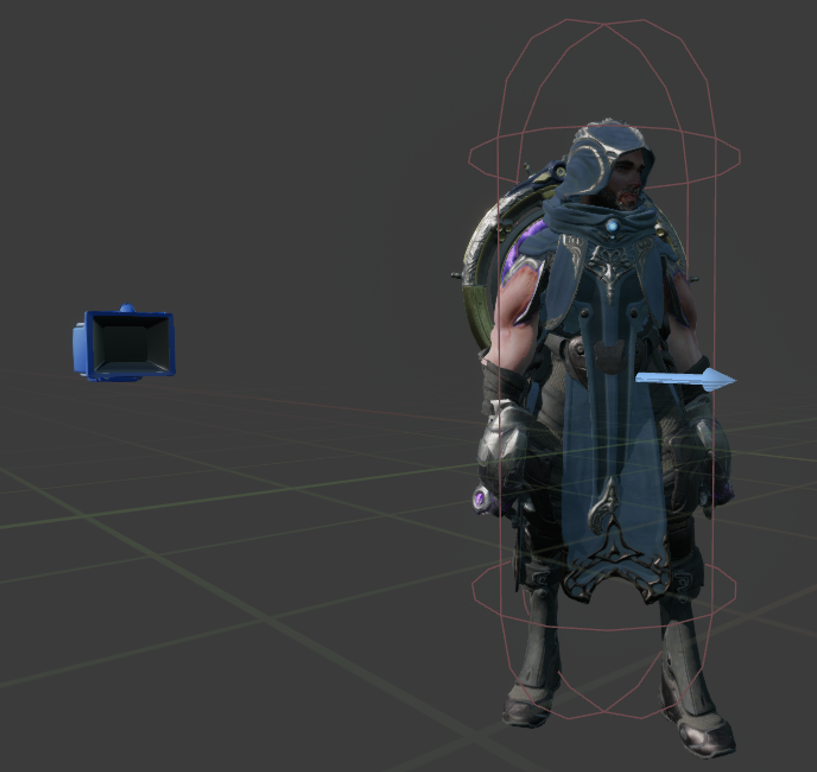
I wanted to say this before I talked about code and stuff. My asset came from Paragon: Gideon pack from the Fab Store. It was made by Epic Games' sick skin sets. If you get the chance, check them out! Above is one of the skins you can download from the Gideon pack. Above is the player character you play as in the game.
Player character blueprint
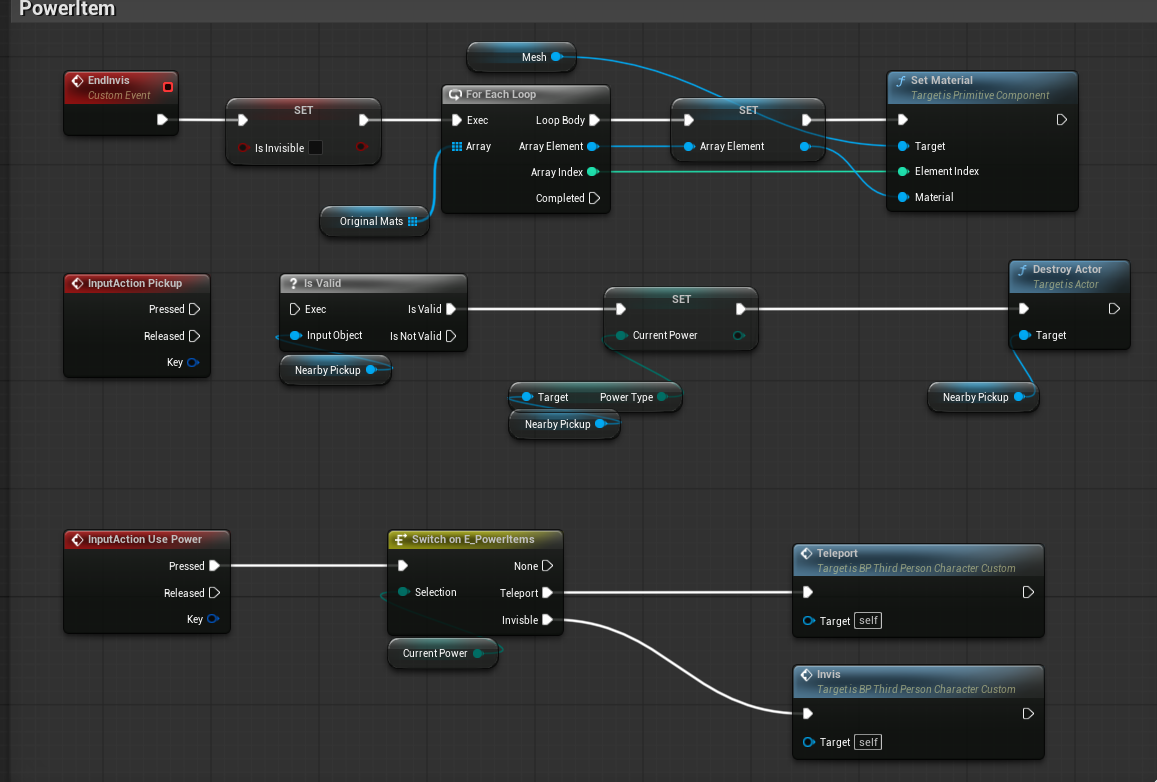
Now, before you say anything, I know what you're thinking: one of the events is disconnected, so the code isn't working. Yes, that was intentional; the above is an idea I had but scrapped because I couldn't get all the necessary parts working as I wanted, which was ruining the experience for players. But I wanted to showcase this; it's something I hope to add later in the future. Above Everything works as intended except the event at the top. But I made an item that holds two different properties depending on which property I tell it to have. My objective with this item is that it gives the player the power to either teleport a short distance or turn invisible. I got the teleport to work, but invisibility not so much. That is part of the invisibility in the top event. It was not changing the material that was set I up, instead showing the original mat, the grey checker ball.
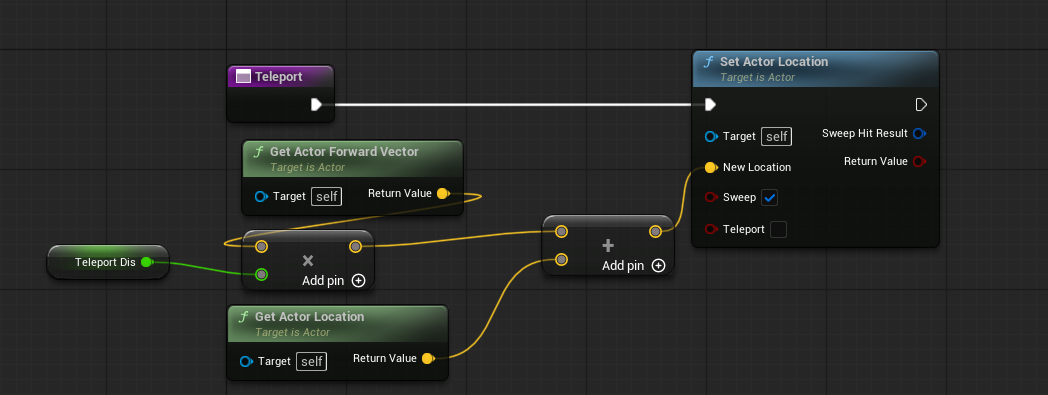
Teleport function in question.
Invisibility in question, and apologies in advance for spaghetti code since it wasn't working; I didn't organize the code.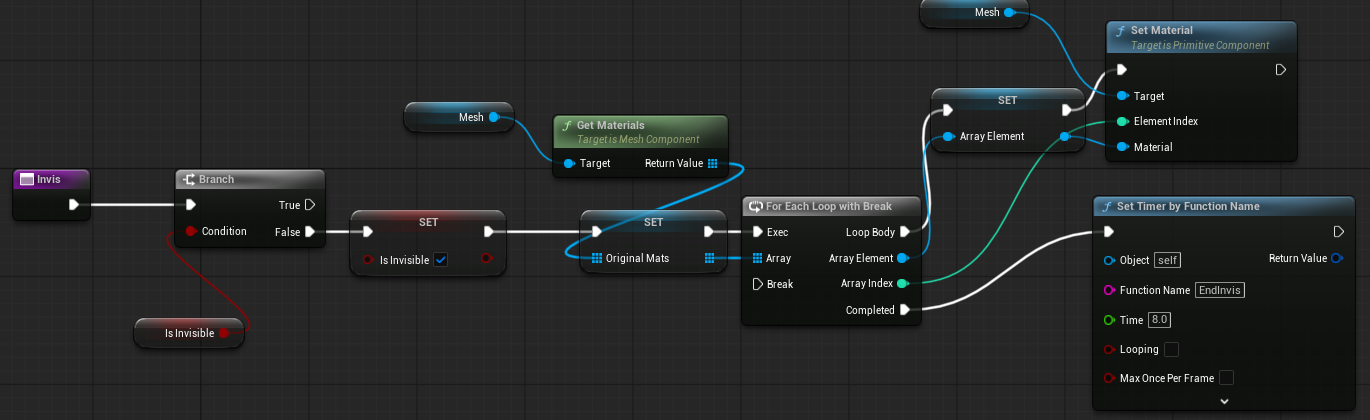
Crouch and Dodge Are in the game, allowing the player to scoot between and behind cover.
Overall, the mechanics were to create traverse in the world, especially once I can make an update to power mechs. Giving the player more agency in the choices they make through the level.
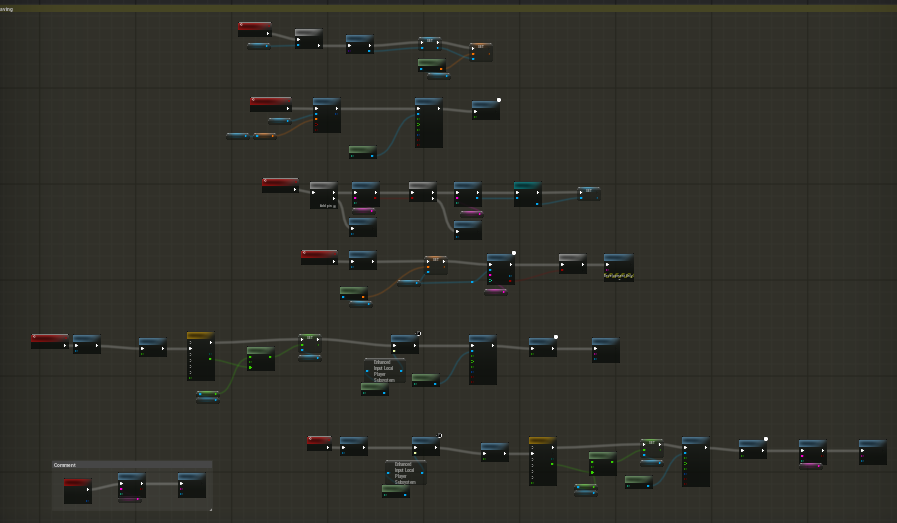
Above is the save & load system in the game inside the player blueprint. In this game, I haven't set up checkpoints in the game since the concept of the game is the player trying to break out of prison. If you are captured, you wake back up in your cell again and start the process again. Otherwise, the system is working well as intended for what is needed in the game.
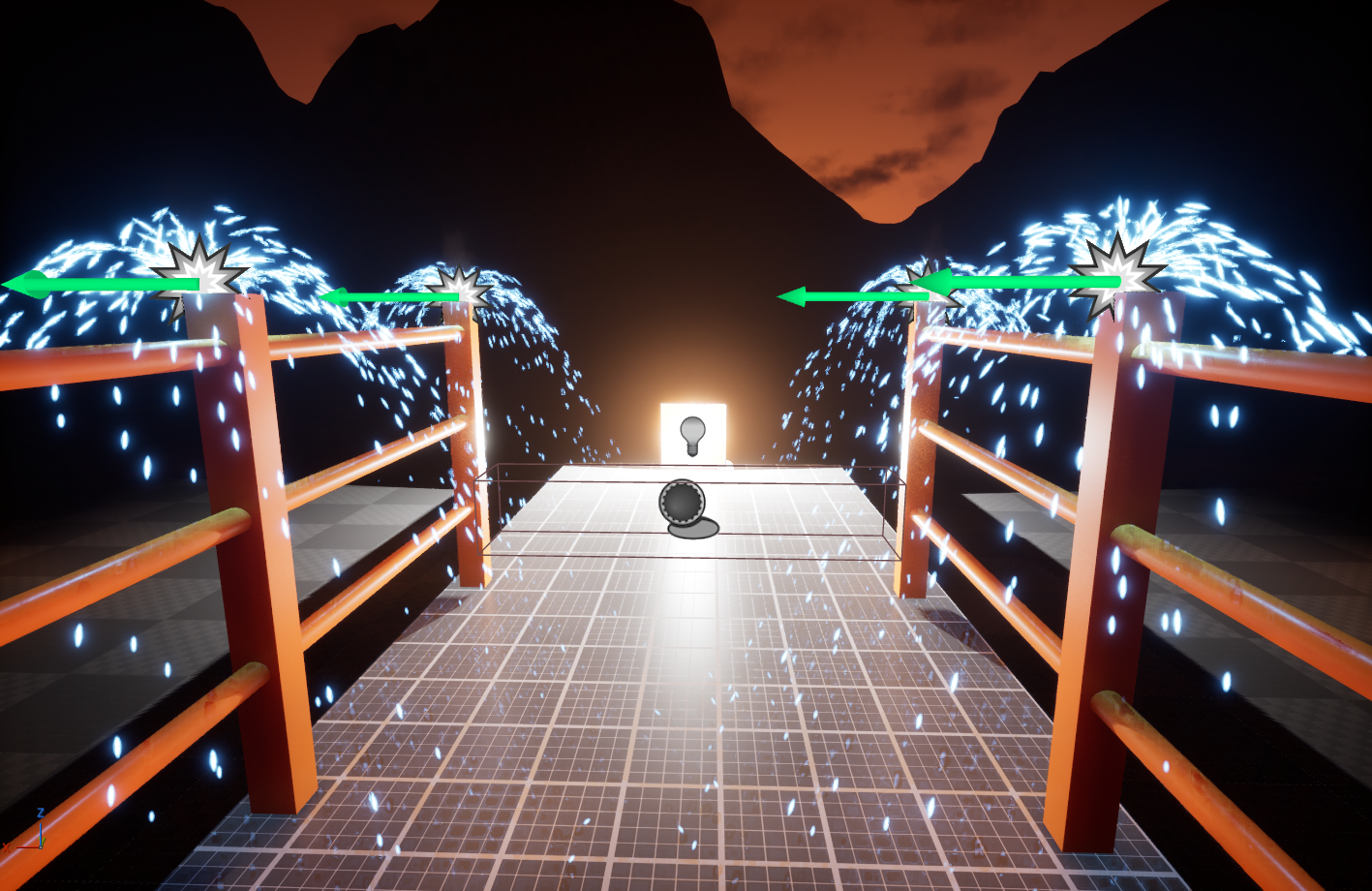
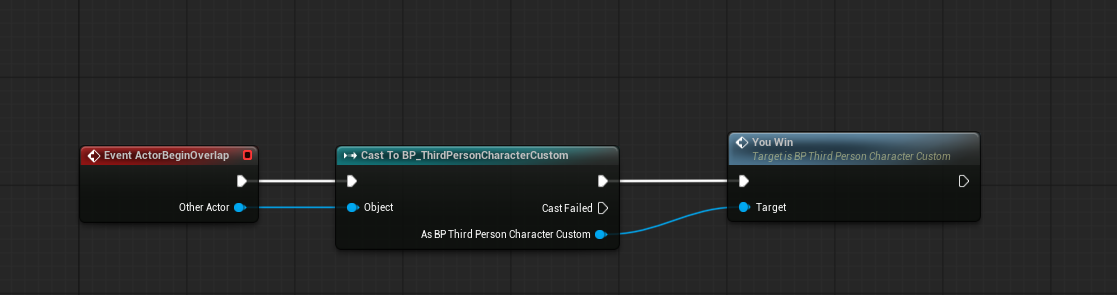

Directly above is from the save & load code in the you win section setup with a timeline, a world dialation, and a widget telling you free. Which then reloads the game! In the top picture is where you need to reach in-game to win. That box collision is where the code gets triggered
Enemy
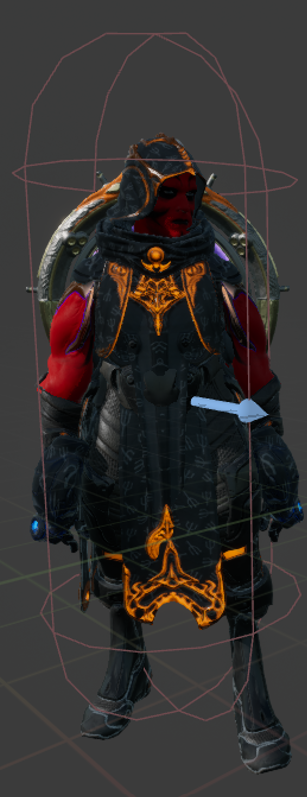
Above is also a Gideon skin, but when I saw the demon this had, I thought this would go with lightning, and since they're red, reminiscent of Darth Maul from Star Wars, I felt it would be a menacing-looking villain.
Sight Delay - This bit of code below is where enemy AI can see! I set it up to have the player not instantly chase the moment the player is seen and provide a delay, giving the player time to react quickly to hide again. Without this, the player would see a small amount of the player and instantly give chase without warning. Essentially, the code is set up for the AI to go, "Is that player?? Oh, it is get'em!"
The enemy AI can hit the player. In fact, that is how the player gets captured and starts the level over again. But with the use of the dodge roll, the player does have the opportunity to evade attacks.

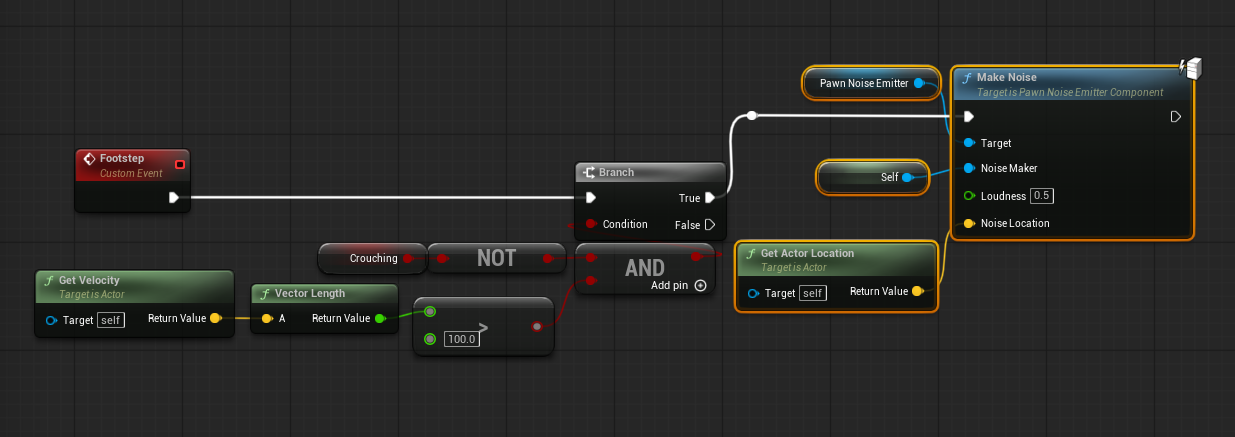
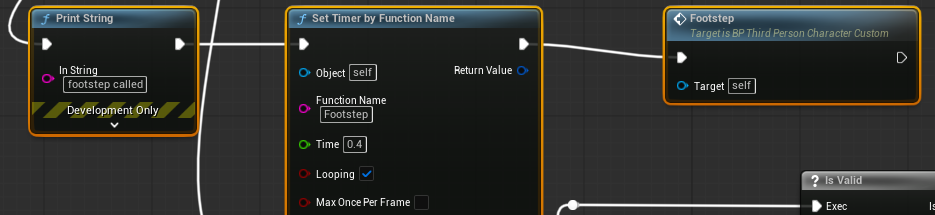
Above is the code that lets the enemy hear the distraction item in the game, as well as the code that lets the enemy hear the player. The setup above is to get the enemy AI to hear the player only when running, so while crouching, the enemy AI can't hear the player
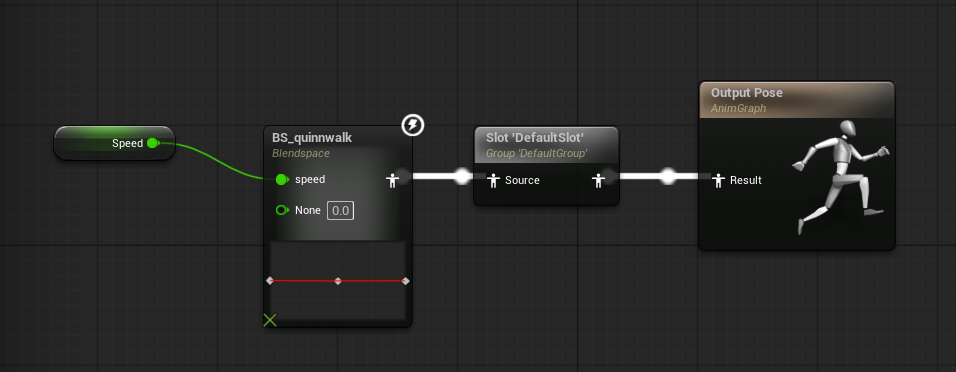
Above is the walk speed of the enemy through the Quinnwalk. I used BlendSpace so the enemy AI is set to 0 as idle, 200 as walk, and 600 as run. Everything is working as it should for the game.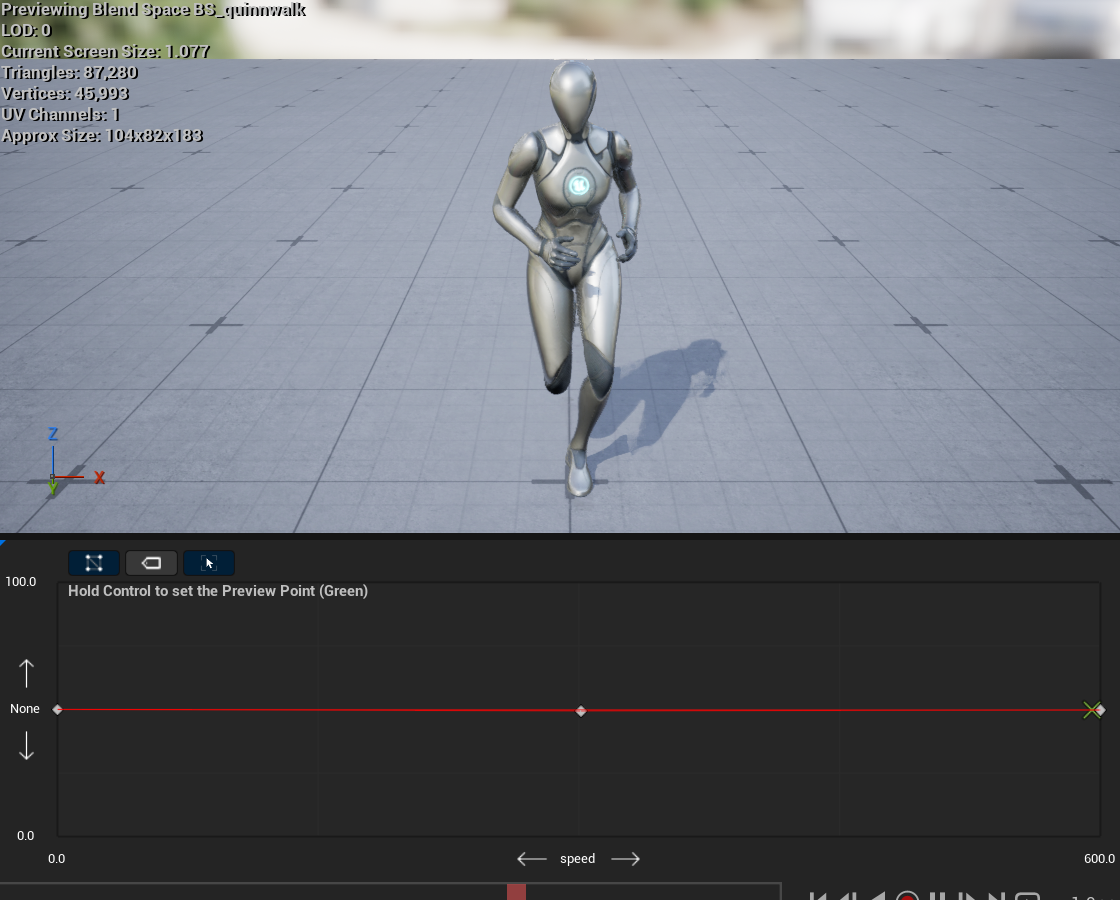
In Conclusion
Up to this point, I feel I learned a lot through the hands-on experience of what it is like to be a level designer. Even if this is not the best, I am inspired to go down this route because I had so much fun with this project. I'm really glad I had this opportunity to make a game based around stealth, which for me is one of my favorite kinds of games, and to get to create the tension these kinds of games always gave me when playing. Especially that sense of achievement you get when no one saw you, or the creativity used to get around enemies. In the future, I hope to add the mechanics and designs that I did not get to implement, and I would like to add dialogue. I really would like to add enemies with abilities of their, but for later, though.
Thanks for reading, and I hope you enjoy the game Prison Break! Do you have what it takes to escape?
Download
Install instructions
Download the ZIP file and start up the Game1Start launcher, and you should be good to go. Thank you!
Development log
- Prison Break1 day ago
Leave a comment
Log in with itch.io to leave a comment.